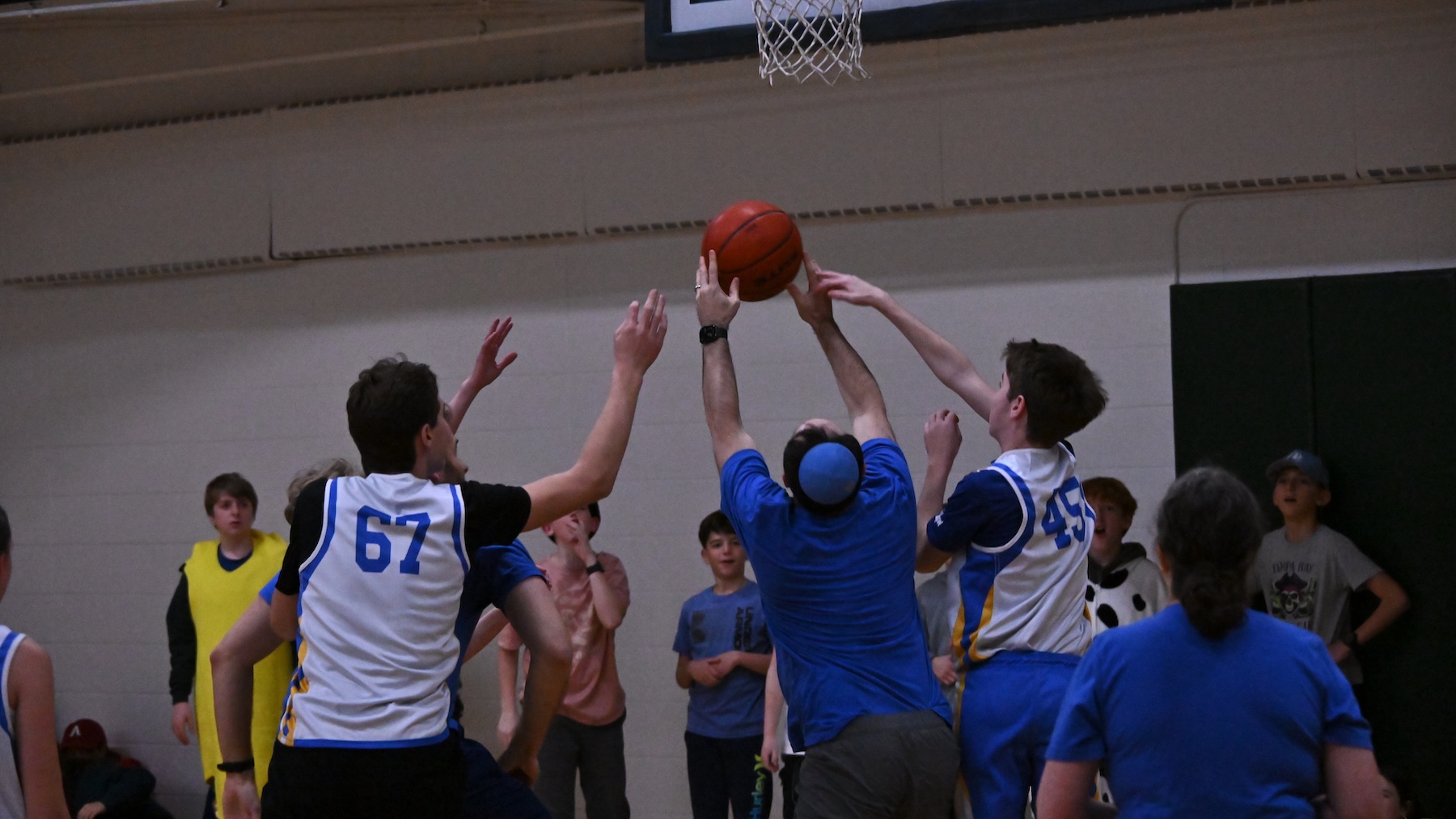
Using a Z9 and shooting in a gymnasium. Got it set at WB CW florescent, AF-C, exp comp +0.7. Originally set to ISO 5000 1/800 and my sample review in camera came out great! But sometimes I noticed the camera changed to ISO 10K and shutter priority...I don't remember changing those settings. I assumed that my sample review in camera looked great, but went to edit at home and all images are underexposed with lots of noise. This has happened a few times shooting in the gym. I just don't understand what's going on and would love some help with getting beautiful photos. I don't have that pro software, I use Apple Preview which helps the good images. Why are my review in camera images look great but not when editing? I'm using a CF express card as well. Let me know of any suggestions to get pro looking photos. thank you! EXIF: normal contrast, auto exposure, 1/400 10K ISO, high gain up, 28-400 Nikkor f/4

You are using an out of date browser. It may not display this or other websites correctly.
You should upgrade or use an alternative browser.
You should upgrade or use an alternative browser.
trouble with Z9 settings
- Thread starter eyebidder
- Start date

Welcome!
Are you saying that the camera changed shooting modes on you? In shutter priority the camera will try to change the ISO or aperture to meet the shutter speed and exp comp set. Given that your lens is not a fixed aperture the lens adjusts the aperture based on distance, the further you zoom the higher the F-stop number and the smaller the opening so less light entering, the camera compensates by increasing the ISO. If the lens is widest aperture for a given distance the only way to reduce the ISO at that point is to decrease the shutter speed. So yes using a F-4 lens would allow more light and a 2.8 even more at the cost of shallower depth of field. As far as white balance the image posted looks good but it is hard to tell by looking at lights exactly what they are. I have some fixtures that look like florescent but are LED and the the color out put varies. If the same gym you could create a custom white balance.
Are you shooting Raw or JPG? Depending on your taste and if you shoot raw noise reduction software might hold some of the answer.
Are you saying that the camera changed shooting modes on you? In shutter priority the camera will try to change the ISO or aperture to meet the shutter speed and exp comp set. Given that your lens is not a fixed aperture the lens adjusts the aperture based on distance, the further you zoom the higher the F-stop number and the smaller the opening so less light entering, the camera compensates by increasing the ISO. If the lens is widest aperture for a given distance the only way to reduce the ISO at that point is to decrease the shutter speed. So yes using a F-4 lens would allow more light and a 2.8 even more at the cost of shallower depth of field. As far as white balance the image posted looks good but it is hard to tell by looking at lights exactly what they are. I have some fixtures that look like florescent but are LED and the the color out put varies. If the same gym you could create a custom white balance.
Are you shooting Raw or JPG? Depending on your taste and if you shoot raw noise reduction software might hold some of the answer.

Welcome!
In addition to Needa's points - have you taken a look at the files in Nikon's NX Studio? Even with a RAW file the display when viewing the file will show the "camera" view. Does this look better (same as you see in camera review)?
Note: NX Studio is available free from your local Nikon website, it is a respectable editor.
This simple free test may show more about your PC's interpretation or the software you are trying.
I've heard great things on Apple photo editing but I'm a windows user here...
In addition to Needa's points - have you taken a look at the files in Nikon's NX Studio? Even with a RAW file the display when viewing the file will show the "camera" view. Does this look better (same as you see in camera review)?
Note: NX Studio is available free from your local Nikon website, it is a respectable editor.
This simple free test may show more about your PC's interpretation or the software you are trying.
I've heard great things on Apple photo editing but I'm a windows user here...
Thank you all for your explanations. I did install NX Studio but I can't seem to find a way to add my photos... I click on the hard drive where my photos are located but nothing happens. Another crazy concern is why do my preview shots look great from the Z9 but when I'm about to edit them on my Mac they were all underexposed with very high ISO which was mentioned when the camera increased it based on my zooming up to 400mm. Should I not trust the photo reviews from the camera? I thought I'd get good looking photos based upon a quick photo review when checking exposure. I was also told about the histogram to keep peaks in the middle...
Unfortunately I'm not familiar enough with Mac OS to guide you - maybe another user could help get you going
I believe you can trust the camera for certain.
I'm trying to think of the easiest way and NX Studio seems best - on windows you simply use the left hand file browser to guide the program to the location of the photo files. Once there on the folder they populate in the studio viewer.
Maybe search for using NX studio with the Mac version you have?
If you want to try another editer let us know ( they all have learning curves )
I believe you can trust the camera for certain.
I'm trying to think of the easiest way and NX Studio seems best - on windows you simply use the left hand file browser to guide the program to the location of the photo files. Once there on the folder they populate in the studio viewer.
Maybe search for using NX studio with the Mac version you have?
If you want to try another editer let us know ( they all have learning curves )

Clovishound
Senior Member
What exposure mode are you using? If the camera switched modes, it could be that one of your buttons is programmed for a mode change, and you accidentally pushed it. I sometimes hit one of the FN buttons unawares on my Z8.
Regardless of mode, you need to keep an eye on things when shooting.
Remember, if the images are underexposed, they will have lots of noise, regardless of ISO. Of all the issues with image quality, high noise is one of the easiest to fix.
Regardless of mode, you need to keep an eye on things when shooting.
Remember, if the images are underexposed, they will have lots of noise, regardless of ISO. Of all the issues with image quality, high noise is one of the easiest to fix.
I found this and it seems to make some sense - please have a look and see if it's helpful