ckqualls
Senior Member
I re-programmed the DISP button to open My Menu". I would like to restore to its default function.
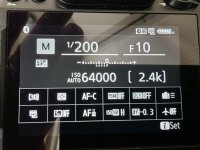
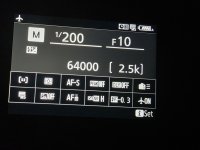
I go to "Custom controls (shooting) and select DISP. button. I thought the "DISP Cycle live view info display" was it and I selected thar. Now when I press DISP I get what is in the attached photo.I don't believe that was the button's default function. Or am I mistaken?
Firmware 2.0
I go to "Custom controls (shooting) and select DISP. button. I thought the "DISP Cycle live view info display" was it and I selected thar. Now when I press DISP I get what is in the attached photo.I don't believe that was the button's default function. Or am I mistaken?
Firmware 2.0
Attachments
Last edited: