I wanted to touch and test the cameras in the shop at least before deciding what to buy...An analogy will be to enter in a phone shop like apple and the allow you to take the phone in hand and go through menus and stuff..There is no equivalency with camera like this in my city.Do you not have ebay, or a friend who can access it for you.

You are using an out of date browser. It may not display this or other websites correctly.
You should upgrade or use an alternative browser.
You should upgrade or use an alternative browser.
New here from Romania.
- Thread starter myststars
- Start date

I didn't thought of that but i will look around. thank you.Is there a photography club near you, somebody their might be able to help.

I want to make a final point - I hope that I was not out of place in my suggestions to try software. It is not for everyone and I want to point out I very much respect your desire to take a low ISO photo as apposed to correcting a high ISO image. That is ideal without doubtThe thing is AI denoising software kinda sucks for my tastes. It adds false details and oversharpen..
Without the addition of a tripod for long exposure assistance (already suggested and you mentioned this would not suit your needs) any camera will be using higher ISO values to take the type of photos you like to take.
The final point I would like to leave you with is - a better camera will have a better internal processor to correct for high noise. I can see only one difference between processing yourself (using software on the RAW data file) and what the cameras do.
With software you chose to use AI or not (I have it and find I do not like it myself and do not normally use it). With software you decide what you want the photo to look like not the camera. You can make film like edits to get away from the overly sharp zero noise craziness modern photographers are chasing today.
In the film days you could not have hand held a camera and taken the beautiful photos you kindly shared with us. Modern technology is awesome and handy and has changed things forever in photography.
Thank you for being very kind in this conversation and I wish you well in your photographic adventures
I'm going to be guilty of going on but I did think of something possibly valuable to you @myststars
The beanbag -- I remembered having a camera beanbag years ago, due to the need for long exposures shooting film. In searching they are still a thing and are available in many sizes. This would allow you to find something to sit your camera on and use the timer to take a low ISO photo. It may help when you see that photo that needs taken.
I remember carrying one on my motorcycle with my trusty Pentax KX - I would position the bike like a tripod and use the beanbag to finally compose. You can also use various other supports like park benches, fence post, stump you get the idea. Very inexpensive and carry-able be sure to chose a size good for you to carry.
The beanbag -- I remembered having a camera beanbag years ago, due to the need for long exposures shooting film. In searching they are still a thing and are available in many sizes. This would allow you to find something to sit your camera on and use the timer to take a low ISO photo. It may help when you see that photo that needs taken.
I remember carrying one on my motorcycle with my trusty Pentax KX - I would position the bike like a tripod and use the beanbag to finally compose. You can also use various other supports like park benches, fence post, stump you get the idea. Very inexpensive and carry-able be sure to chose a size good for you to carry.
With software it is very simple now after i looked at that video...Using Lightroom is not using AI and is keeping the photo as natural as possible after denoising. I will learn Lightroom.I want to make a final point - I hope that I was not out of place in my suggestions to try software. It is not for everyone and I want to point out I very much respect your desire to take a low ISO photo as apposed to correcting a high ISO image. That is ideal without doubt
Without the addition of a tripod for long exposure assistance (already suggested and you mentioned this would not suit your needs) any camera will be using higher ISO values to take the type of photos you like to take.
The final point I would like to leave you with is - a better camera will have a better internal processor to correct for high noise. I can see only one difference between processing yourself (using software on the RAW data file) and what the cameras do.
With software you chose to use AI or not (I have it and find I do not like it myself and do not normally use it). With software you decide what you want the photo to look like not the camera. You can make film like edits to get away from the overly sharp zero noise craziness modern photographers are chasing today.
In the film days you could not have hand held a camera and taken the beautiful photos you kindly shared with us. Modern technology is awesome and handy and has changed things forever in photography.
Thank you for being very kind in this conversation and I wish you well in your photographic adventures
I've discovered nikon D780 today...It's a mix of Z6 and DSRL....Intersting. I didn't know that this model exists.Unfortunetly no IBIS.
Thank you for telling me about camera bag..I didn't know it existed.This is doable and good for traveling.

Clovishound
Senior Member
This will show you a little of what Lightroom can do. This is an image I took recently. If memory serves me, I used highlight weighted metering to help preserve highlight detail because of the difficult lighting situation. The subject ended up badly underexposed. Low exposure levels are the real cause of noise, higher ISOs just turn up the volume to make the image look normal. For reference it was shot handheld at 1/2000 sec, F6.3, ISO 1800, 600mm an a full frame high resolution sensor. I could have shot at a lower shutter speed and decreased noise, but I didn't want to miss an action shot while trying to increase my shutter speed if the duck decided to flap it's wings or interact with another duck.
This is the final version. I ran the RAW file through Topaz to remove noise. This version will look a tad over processed, if you blow it up to extremes, but looks natural, IMO, at normal viewing magnification. I should probably decrease the saturation a tad in the head and top of the wings to make it look more natural.

This is an extreme blowup of the subject without any processing at all. It's very dark and very noisy.
.

I did some minimal processing in Lightroom to make it easier to see details
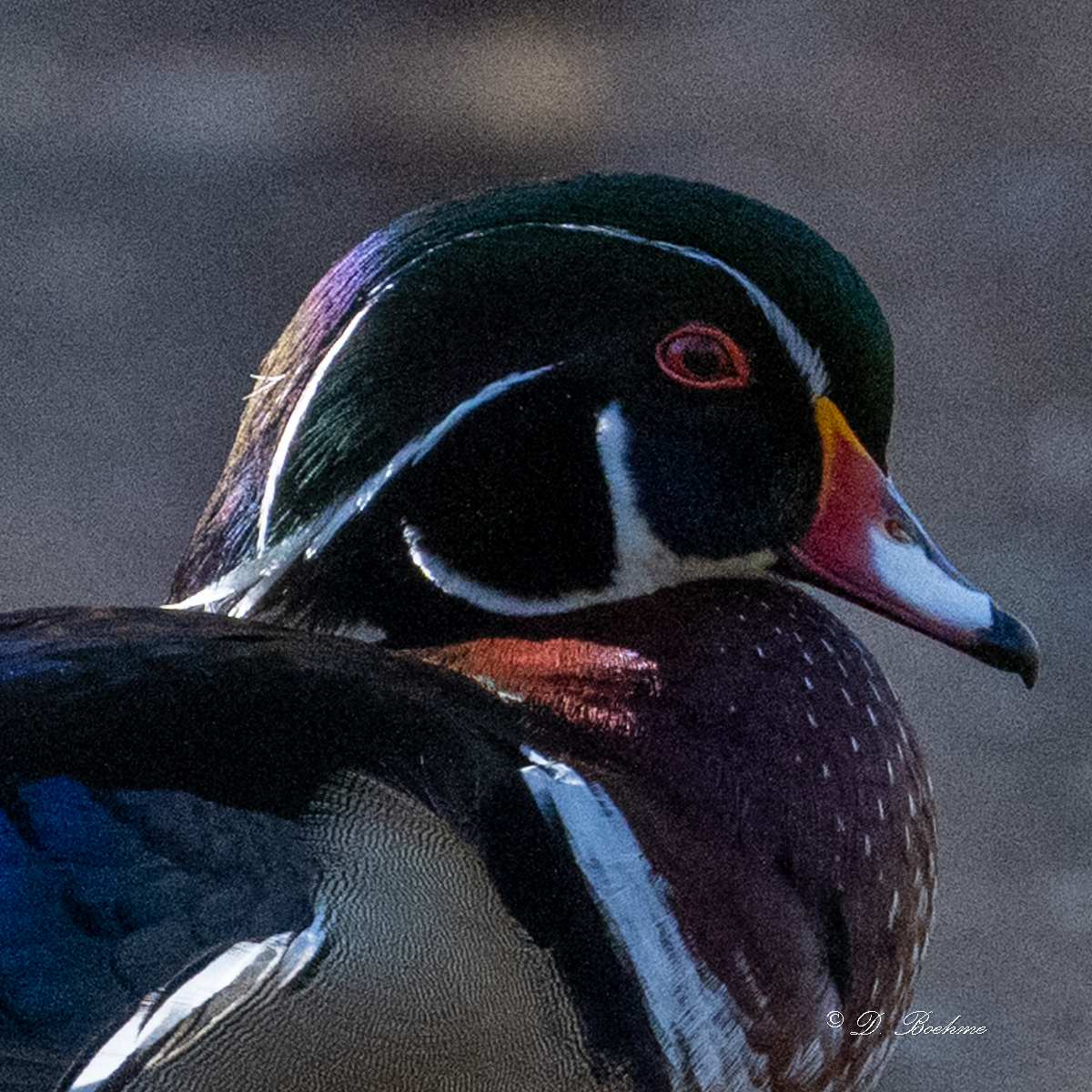
This version, I ran through Lightroom's automatic de noise. IMO, it does a very good job, but is very slow on my computer. It often takes as long as 10 to 15 minutes to process a single image. I have seen it run much quicker on other computers. Topaz takes only a couple minutes to process an image on my computer.
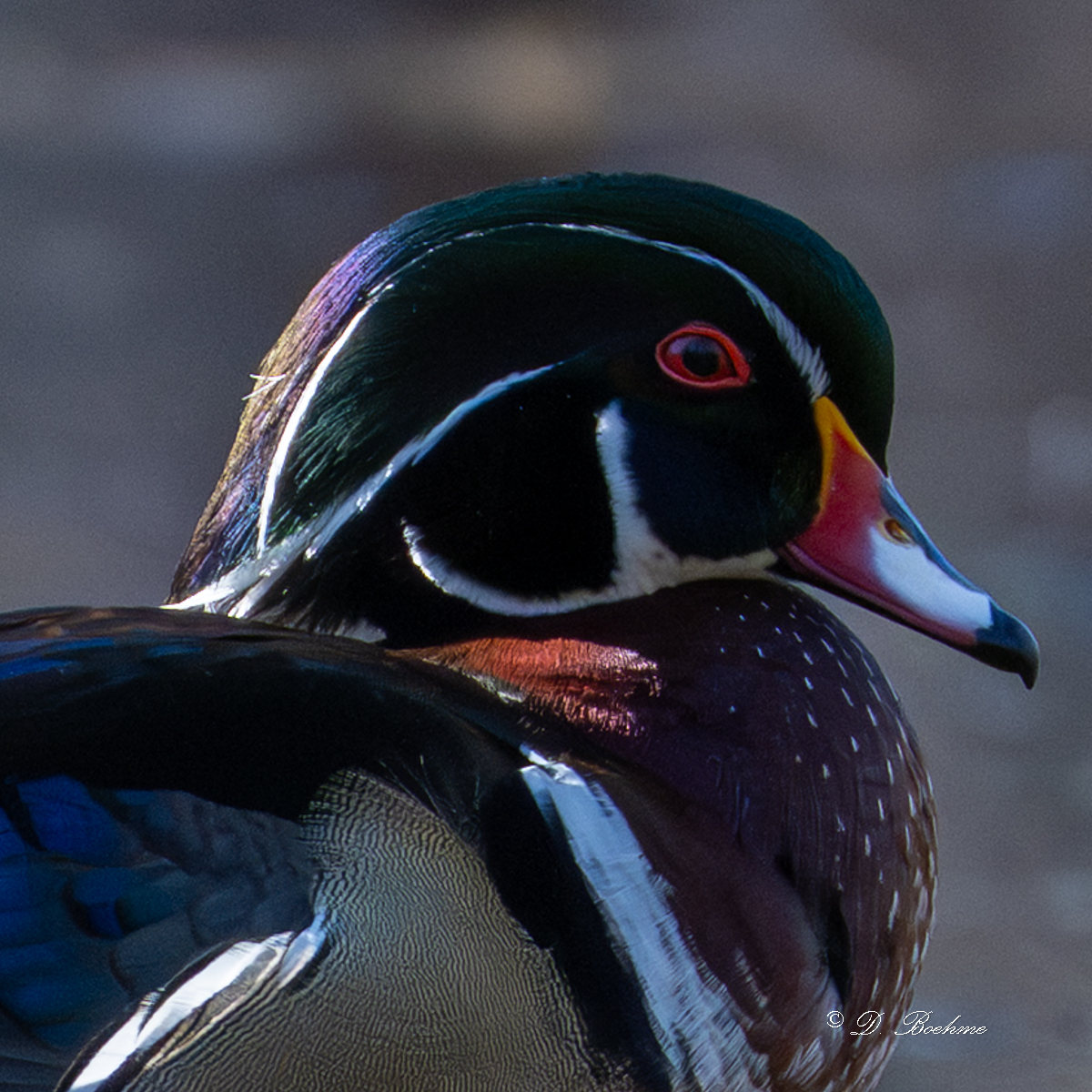
This is a huge improvement, but there is still some noise, so I used the slider to increase the amount of de noise applied. This is the result. Keep in mind that this is far more detail than anyone would ever see, unless you blow this up to a huge print, or very extreme crop.
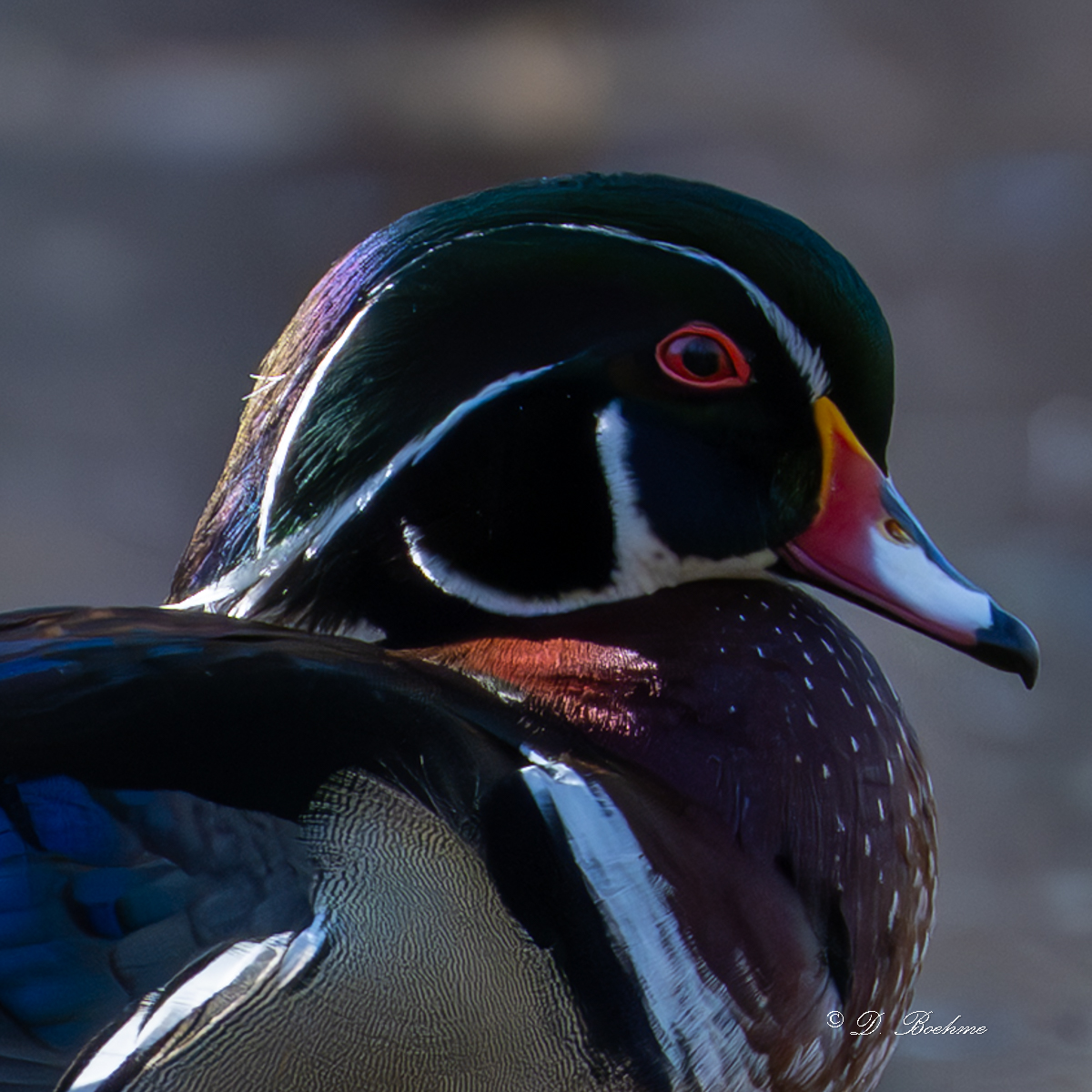
In Lightroom, you can also manually de noise with a simple slider, but it only removes noise. This works fine to remove noise, but also removes detail and sharpness. The more sophisticated programs like Topaz or the Lightroom automatic de noise increase sharpness and preserve as much detail as possible.
This is the final version. I ran the RAW file through Topaz to remove noise. This version will look a tad over processed, if you blow it up to extremes, but looks natural, IMO, at normal viewing magnification. I should probably decrease the saturation a tad in the head and top of the wings to make it look more natural.
This is an extreme blowup of the subject without any processing at all. It's very dark and very noisy.
.
I did some minimal processing in Lightroom to make it easier to see details
This version, I ran through Lightroom's automatic de noise. IMO, it does a very good job, but is very slow on my computer. It often takes as long as 10 to 15 minutes to process a single image. I have seen it run much quicker on other computers. Topaz takes only a couple minutes to process an image on my computer.
This is a huge improvement, but there is still some noise, so I used the slider to increase the amount of de noise applied. This is the result. Keep in mind that this is far more detail than anyone would ever see, unless you blow this up to a huge print, or very extreme crop.
In Lightroom, you can also manually de noise with a simple slider, but it only removes noise. This works fine to remove noise, but also removes detail and sharpness. The more sophisticated programs like Topaz or the Lightroom automatic de noise increase sharpness and preserve as much detail as possible.
Thx for pictures..Please look at the video i pointed out in a previous...Search it on google.That pro photographer discuss this programs with in depht analysis and picture comparisions.Topaz use AI and those details that you see may be false details that are added..This will show you a little of what Lightroom can do. This is an image I took recently. If memory serves me, I used highlight weighted metering to help preserve highlight detail because of the difficult lighting situation. The subject ended up badly underexposed. Low exposure levels are the real cause of noise, higher ISOs just turn up the volume to make the image look normal. For reference it was shot handheld at 1/2000 sec, F6.3, ISO 1800, 600mm an a full frame high resolution sensor. I could have shot at a lower shutter speed and decreased noise, but I didn't want to miss an action shot while trying to increase my shutter speed if the duck decided to flap it's wings or interact with another duck.
This is the final version. I ran the RAW file through Topaz to remove noise. This version will look a tad over processed, if you blow it up to extremes, but looks natural, IMO, at normal viewing magnification. I should probably decrease the saturation a tad in the head and top of the wings to make it look more natural.
View attachment 426238
This is an extreme blowup of the subject without any processing at all. It's very dark and very noisy.
.
View attachment 426239
I did some minimal processing in Lightroom to make it easier to see details
View attachment 426244
This version, I ran through Lightroom's automatic de noise. IMO, it does a very good job, but is very slow on my computer. It often takes as long as 10 to 15 minutes to process a single image. I have seen it run much quicker on other computers. Topaz takes only a couple minutes to process an image on my computer.
View attachment 426241
This is a huge improvement, but there is still some noise, so I used the slider to increase the amount of de noise applied. This is the result. Keep in mind that this is far more detail than anyone would ever see, unless you blow this up to a huge print, or very extreme crop.
View attachment 426242
In Lightroom, you can also manually de noise with a simple slider, but it only removes noise. This works fine to remove noise, but also removes detail and sharpness. The more sophisticated programs like Topaz or the Lightroom automatic de noise increase sharpness and preserve as much detail as possible.