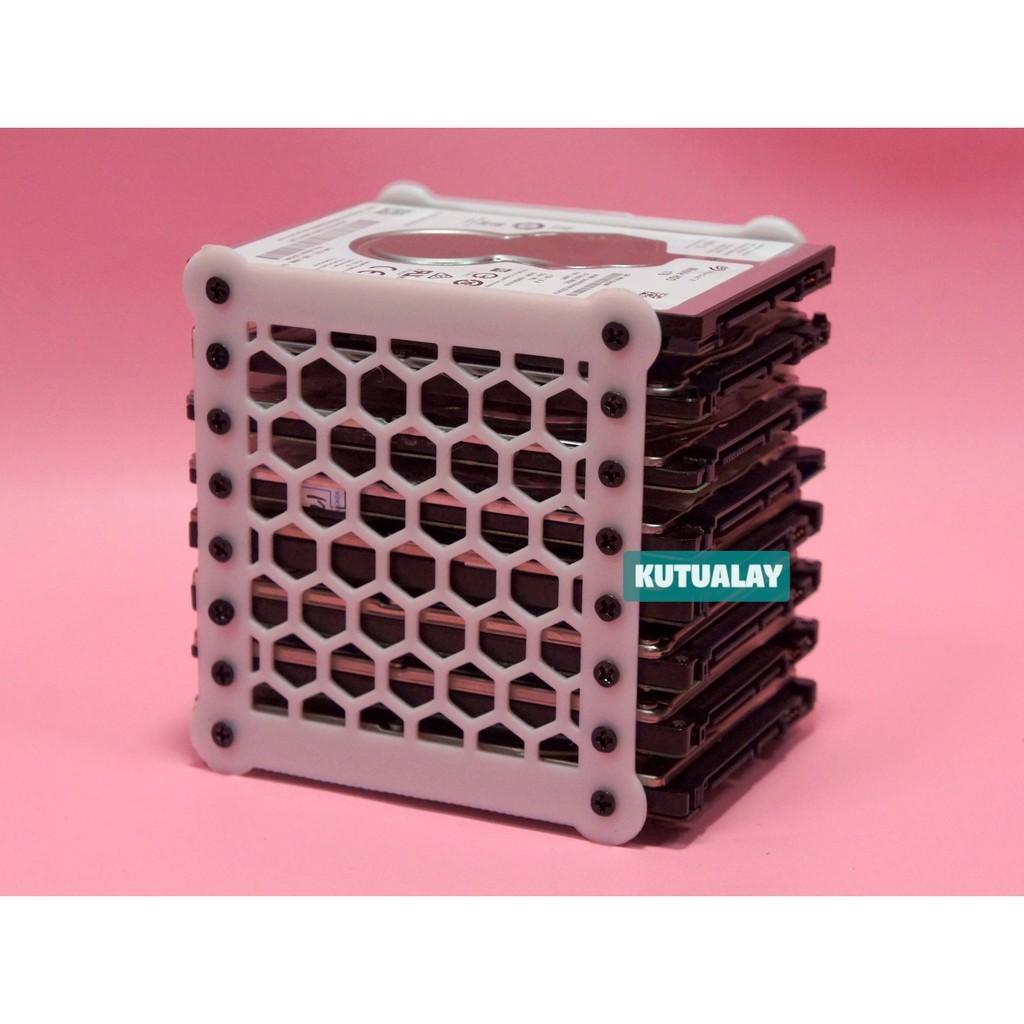
How to stack multiple portable hard drives

hark

Administrator
Staff member
Super Mod
Contributor
I have several WD My Passport Hard Drives and am trying to figure out how I can stack them to take up less space. My iMac is on a rolling computer table so not a lot of room on its top. Due to the possibility of overheating, I can't just set one portable hard drive on top of another. Does anyone have any idea if anything is made to hold them? I don't even know if there is a name for such a thing. There isn't a lot of room so I need something that won't take up a lot of space.

61HjnJaABTL.jpg
 

BF Hammer

Senior Member
I know of many ways and products to do this to bare 2.5 inch HDDs, but I have not seen this done commercially with stand alone drives in enclosures. Do you plug them in all at once (maybe through a USB hub)? I personally don't see an issue with stacking on each other directly if only 1 at a time is actually being used. All spinning at once, I see the concern over heat.

Here is what I see for bare drives. That is easy to engineer as the 2.5 inch drive is standardized. But the enclosed USB drives have no standard size with each other.

25__ssd_hard_drive_stand_8_sta_1659591231_e24b59b2_progressive.jpg


FWIW I have pulled up this website of somebody's home-brewed stacking rack 3D print project.
https://makerworld.com/en/models/1171242-2-5-inch-mobile-hard-drive-stacking-rack#profileId-1179518
073c5b32-be59-4984-a348-9b6c6cb5e6a4.webp


This project may have better ventilation. https://makerworld.com/en/models/66...rd-drive-stacking-stand-v2-0#profileId-587460
 
Last edited:

hark

Administrator
Staff member
Super Mod
Contributor
Thanks, @BF Hammer. This is helpful. All of mine are the same size since I only use the one brand. Doing a Google search for 2.5-Inch Mobile Hard Drive Stacking Rack brings up some options so at least I have something to search for with that terminology. I had no idea what they are called. I appreciate your input!
 

hark

Administrator
Staff member
Super Mod
Contributor
After searching with the wording @BF Hammer mentioned, I'm not sure it will be a good idea to stack them while they are in use. So I might have to find a way to make room for them on this portable computer table somehow.
 

Burt

New member
My stack has been held together by Velcro forever... I don't need to use them all at once... I'm talking about the 50mm wide hard Velcro that you can buy at the Hardware store...
 

hark

Administrator
Staff member
Super Mod
Contributor
My stack has been held together by Velcro forever... I don't need to use them all at once... I'm talking about the 50mm wide hard Velcro that you can buy at the Hardware store...
I usually run at least 2 at a time ... and sometimes 3. For now, I've just left them sitting on the computer table taking up space that I wish I could use for other things! 😄
 

Burt

New member
I usually run at least 2 at a time ... and sometimes 3. For now, I've just left them sitting on the computer table taking up space that I wish I could use for other things! 😄
The only reason why I mentioned the Velcro is the fact that you can put external drive anywhere you wish, even on the underside of the computer table you are using, for example... The beauty of the Velcro is that you can do almost any combination and the large Velcro is designed to carry very large weights (up to 15kg) so hard drive are not really an issue... With solid state drive is even easier as they are smaller and lighter...

I got 7 4TB SSD that take very little room as they are attached to the wall next to the laptop... Think out of the box...
 

Paliswe

Senior Member
After searching with the wording @BF Hammer mentioned, I'm not sure it will be a good idea to stack them while they are in use. So I might have to find a way to make room for them on this portable computer table somehow.
You can tilt the whole package and place it on it's side. That will improve the cooling a lot.
 

Paliswe

Senior Member
When HDD's are mounted in RAID racks they are placed on their side. I guess that inside the case there's an ordinary HDD.
I f you have SSD, they don't care what side that is up or down.
RAID rack.jpg
 
Last edited:

Burt

New member
Can these types of portable drives run properly while they are on their sides?
HD and SSD can run on any 360° axis. There is nothing inside that can be affected by their position. Two things they don't like:
1) Strong magnetic field
2) Getting bumped while the heads are not parked
 
Top